
Unallocated space is a kind of disk space that does not belong to any allocated partition. You can create new volumes with unallocated space using either Disk Management or partition software easily. If the C: drive or any data volume is getting full, you can merge unallocated space into the C drive or into these volumes to increase partition size. This article explains how to merge unallocated space on Windows Server 2012 R2 quickly and easily without losing data.
Merge Unallocated Space into the Left Adjacent Partition
If you want to combine unallocated space into the contiguous partition on the left, you can achieve this via Windows Disk Management without any software. However, this partition must be formatted with the NTFS file system; FAT32 and other types of partitions are not supported.
How to merge unallocated space in Server 2012 into the left partition with Disk Management:
- Press Windows and X together on the keyboard, then click Disk Management from the list.
- Right click the NTFS partition with adjacent unallocated space on the right, then click "Extend Volume".
- Click Next until Finish in the pop-up "Extend Volume Wizard" window.
If this partition is FAT32, when you right click it, Extend Volume is greyed out. In this case, third-party software is required.
How to combine unallocated space on Windows Server 2012 R2 with a safe tool:
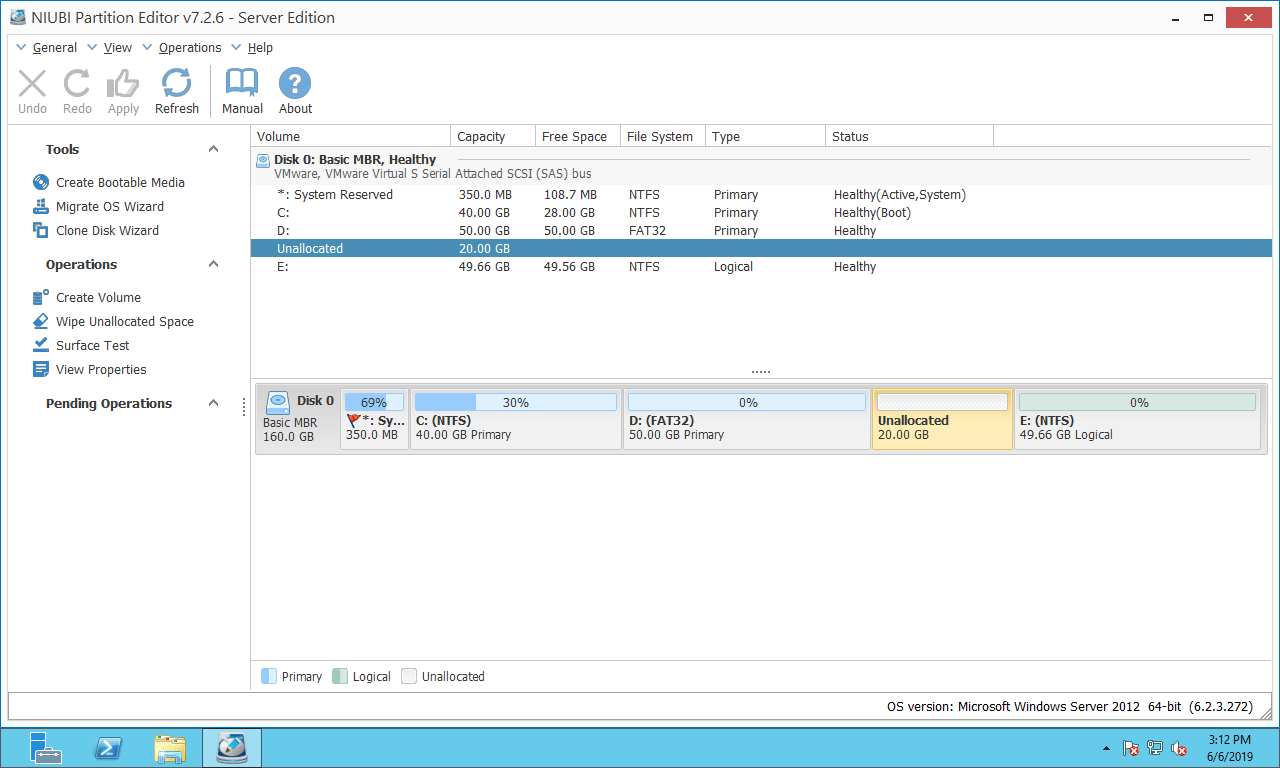
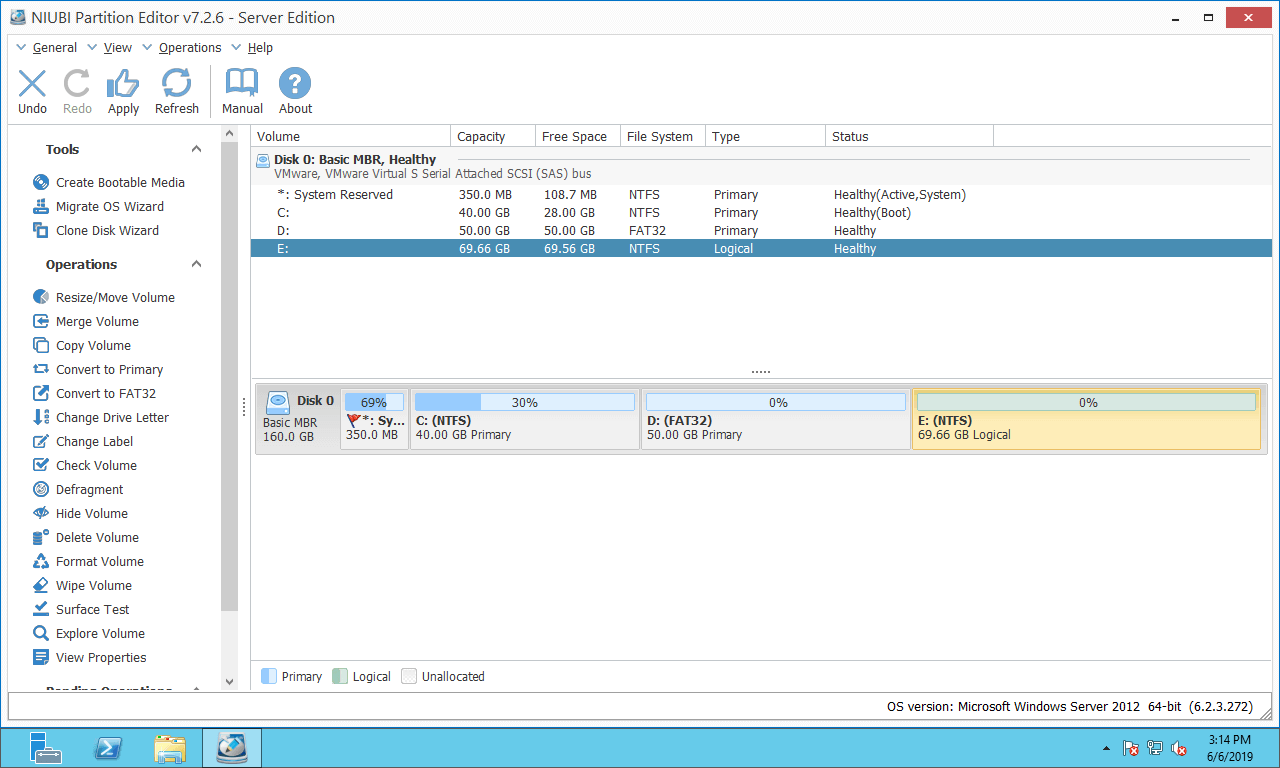
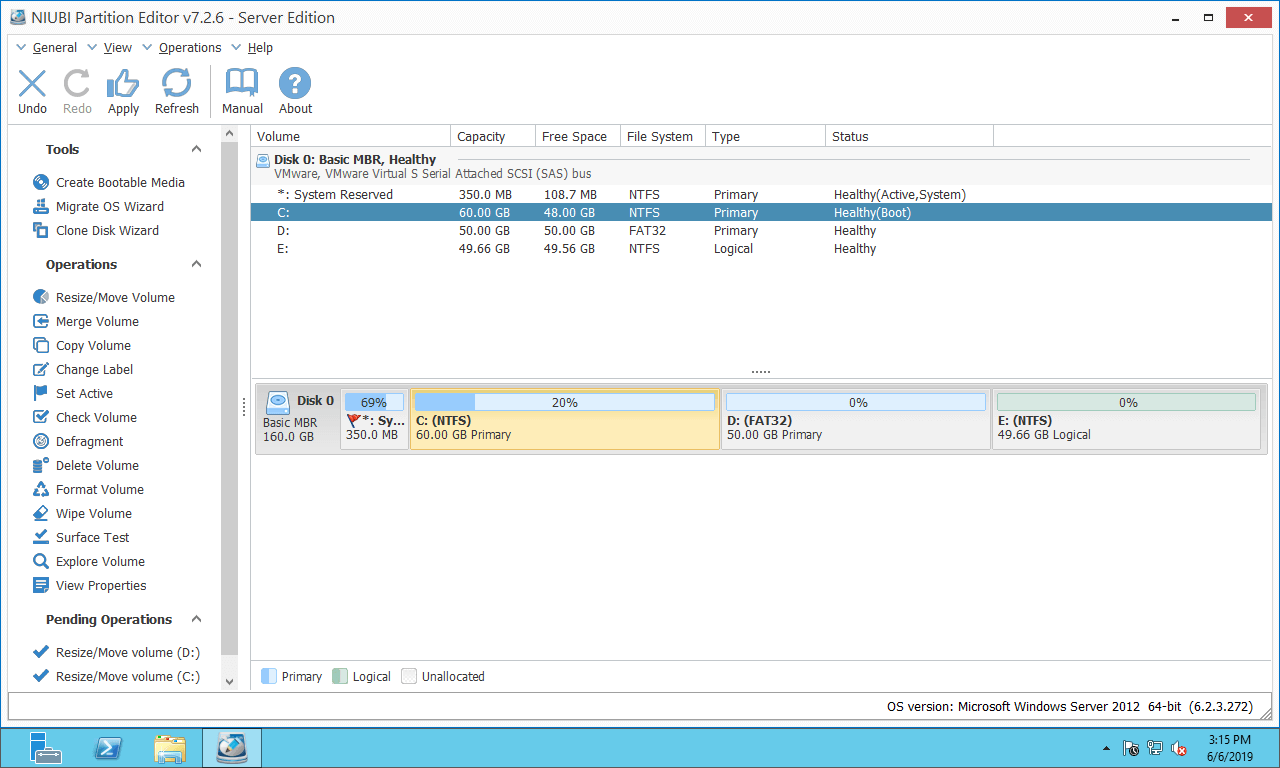
Download NIUBI Partition Editor, and you will see the main window with the disk partition structure and other information. There is 20GB of unallocated space next to the D: drive.
Right-click the D: drive and select "Resize/Move Volume", then drag the right border to the right in the pop-up window.
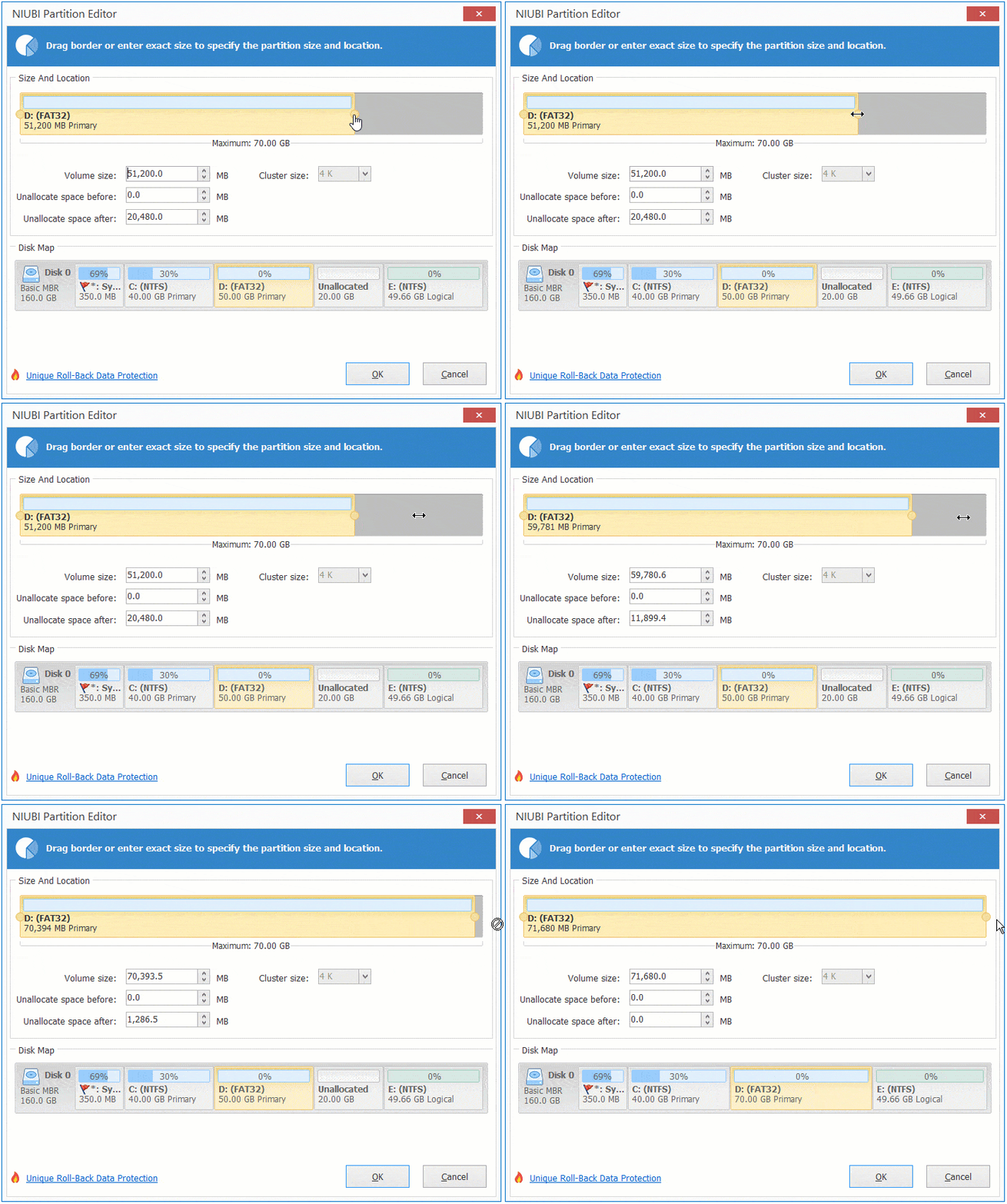
Then, this unallocated space is merged into the D drive.
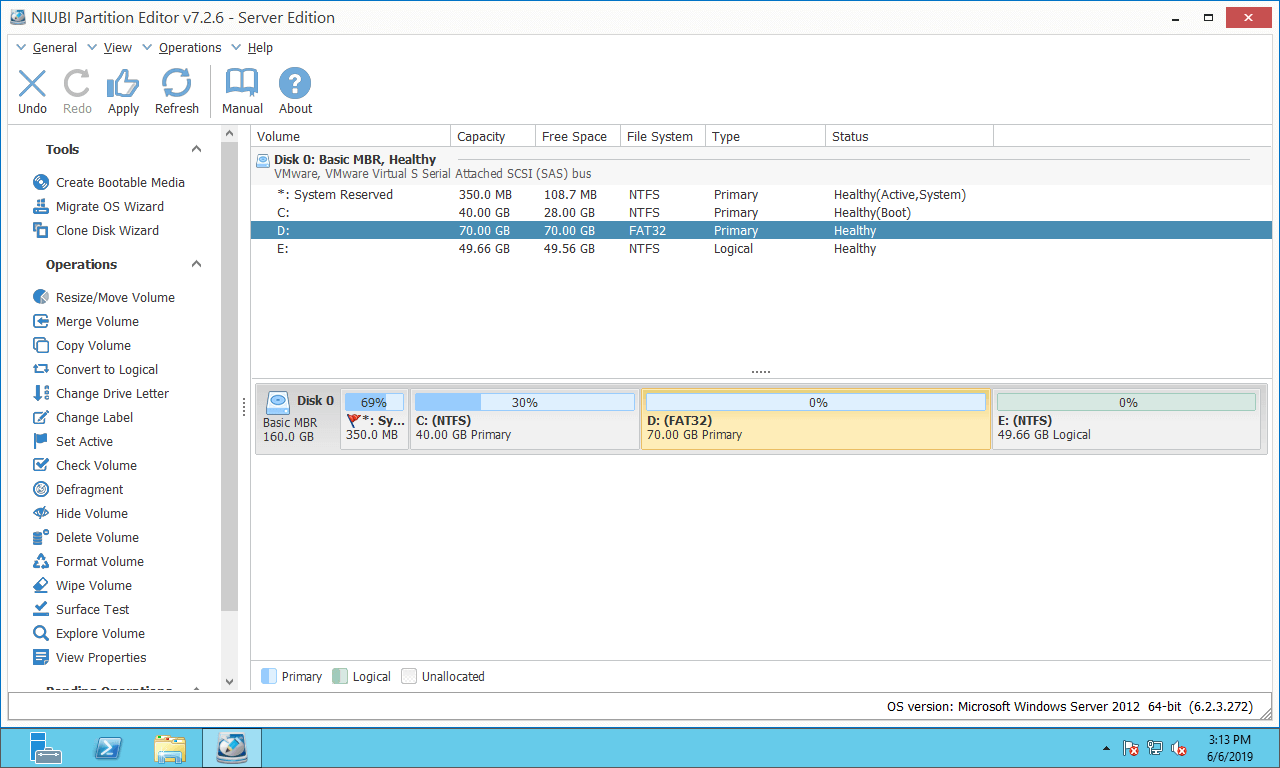
This software is designed to work in virtual mode; real disk partitions will not be changed until you click "Apply" on the top left to confirm.
Combine Unallocated Space into the Right Volume
To merge unallocated space on Windows 2012 server into the right contiguous partition E:, Disk Management cannot help you. Follow the method to combine it with NIUBI Partition Editor:
Right-click the E: drive and select 'Resize/Move Volume', then drag the left border to the left in the pop-up window.
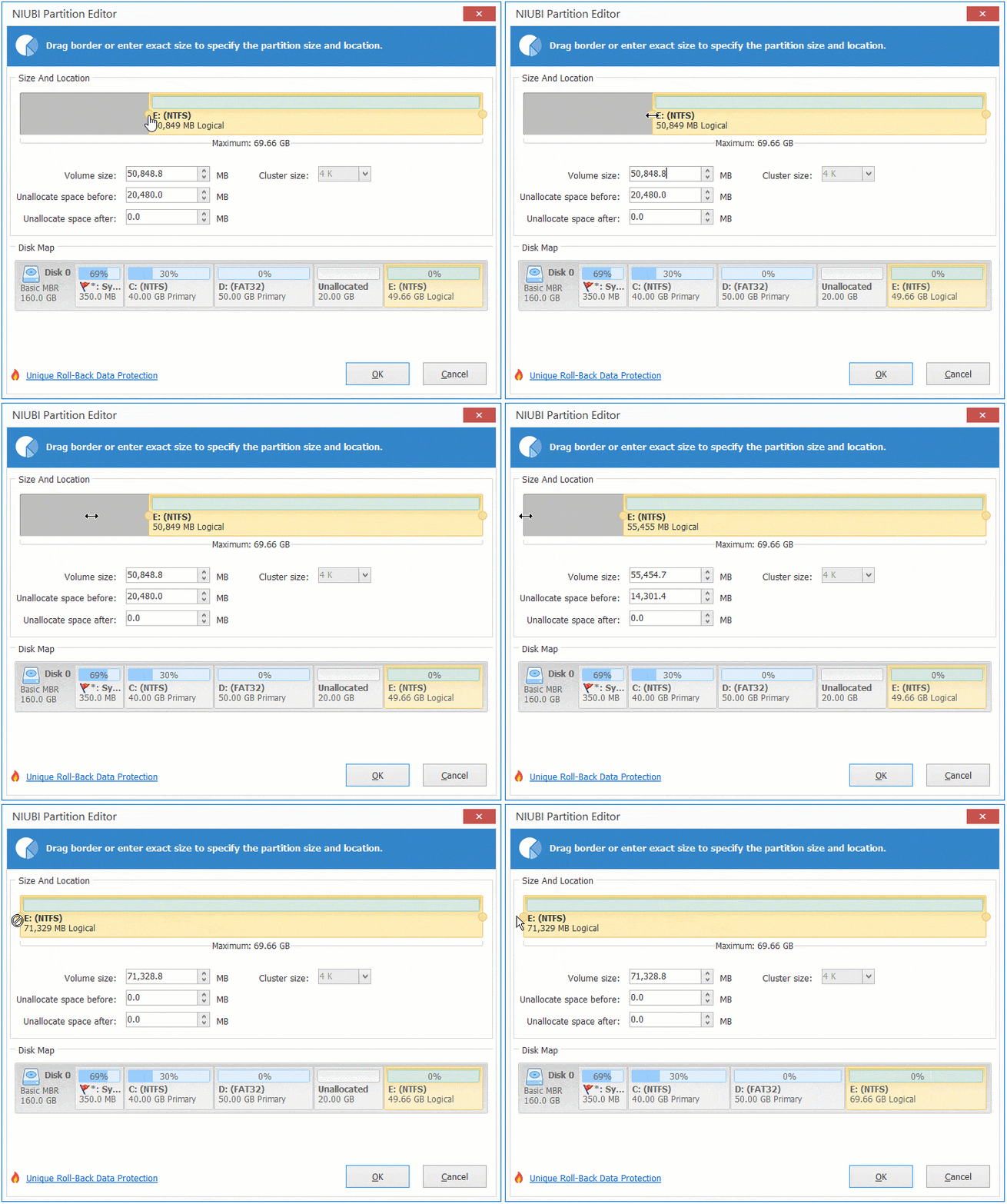
Then, this unallocated space is combined into the E drive.
Merge Unallocated Space into a Non-adjacent Partition
If you want to combine unallocated space into a non-adjacent partition in Windows Server 2012, Disk Management is also useless. You need to move the unallocated space to the left before merging it into the C drive.
How to merge unallocated space into the C: drive on Windows Server 2012 R2 with NIUBI:
Step 1: Right-click the D: drive and select "Resize/Move Volume", then drag the middle of this partition to the right.
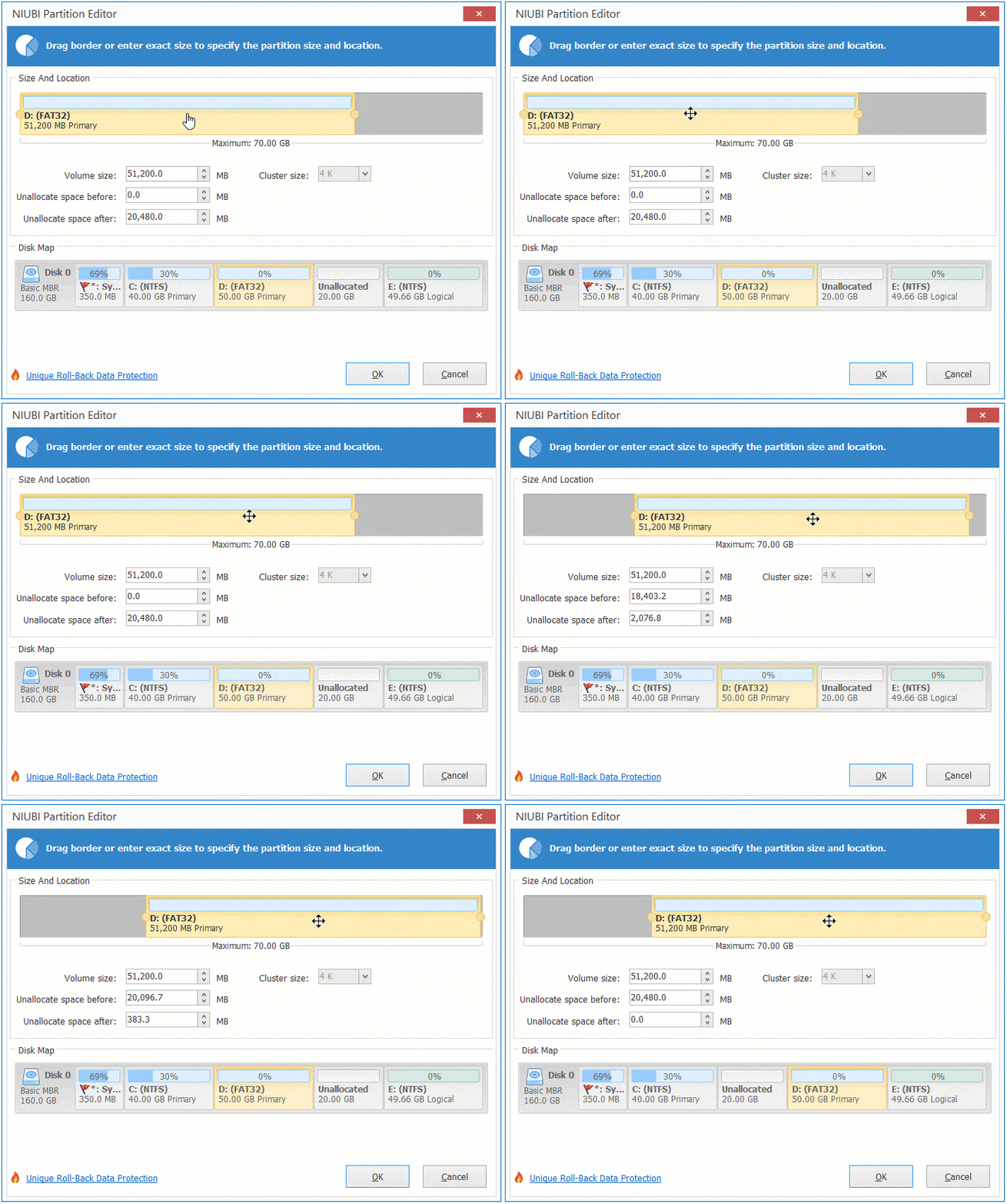
Then, the unallocated space is moved to the left side.
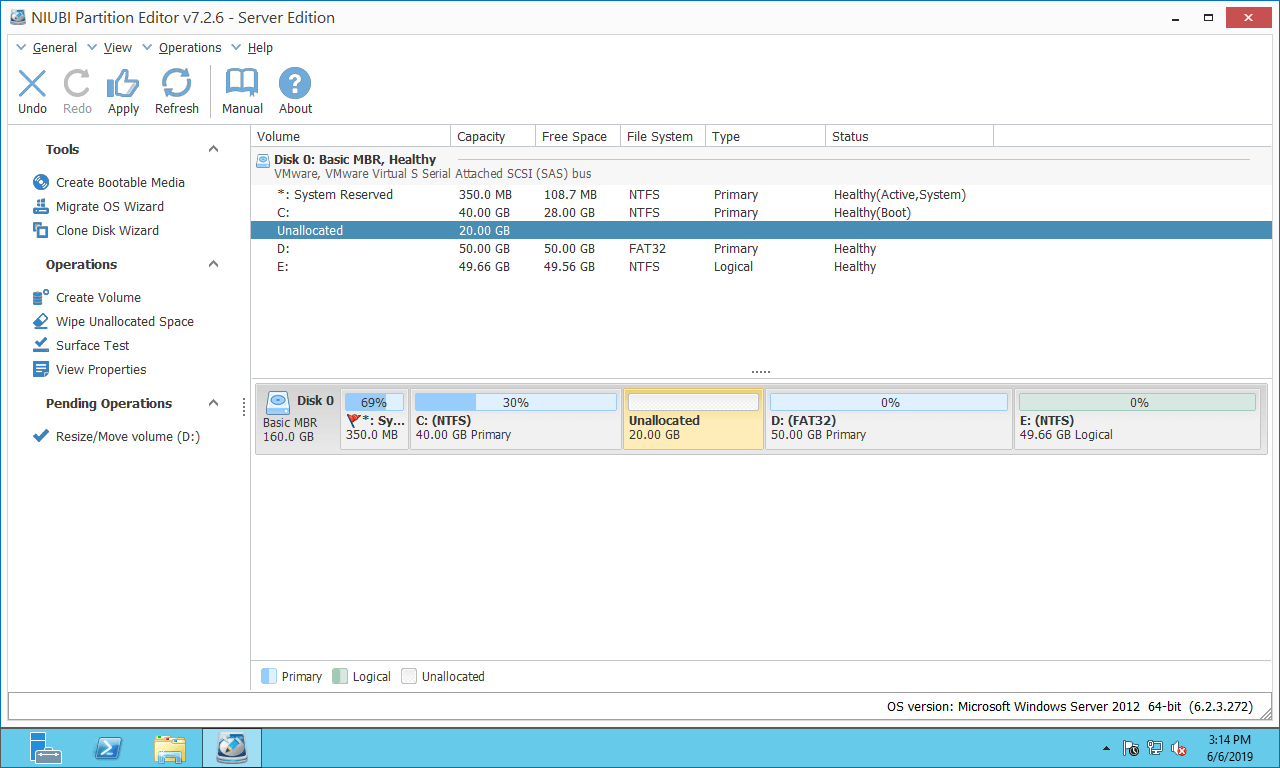
Step 2: Right-click the C: drive and select "Resize/Move Volume", then drag the right border to the right.
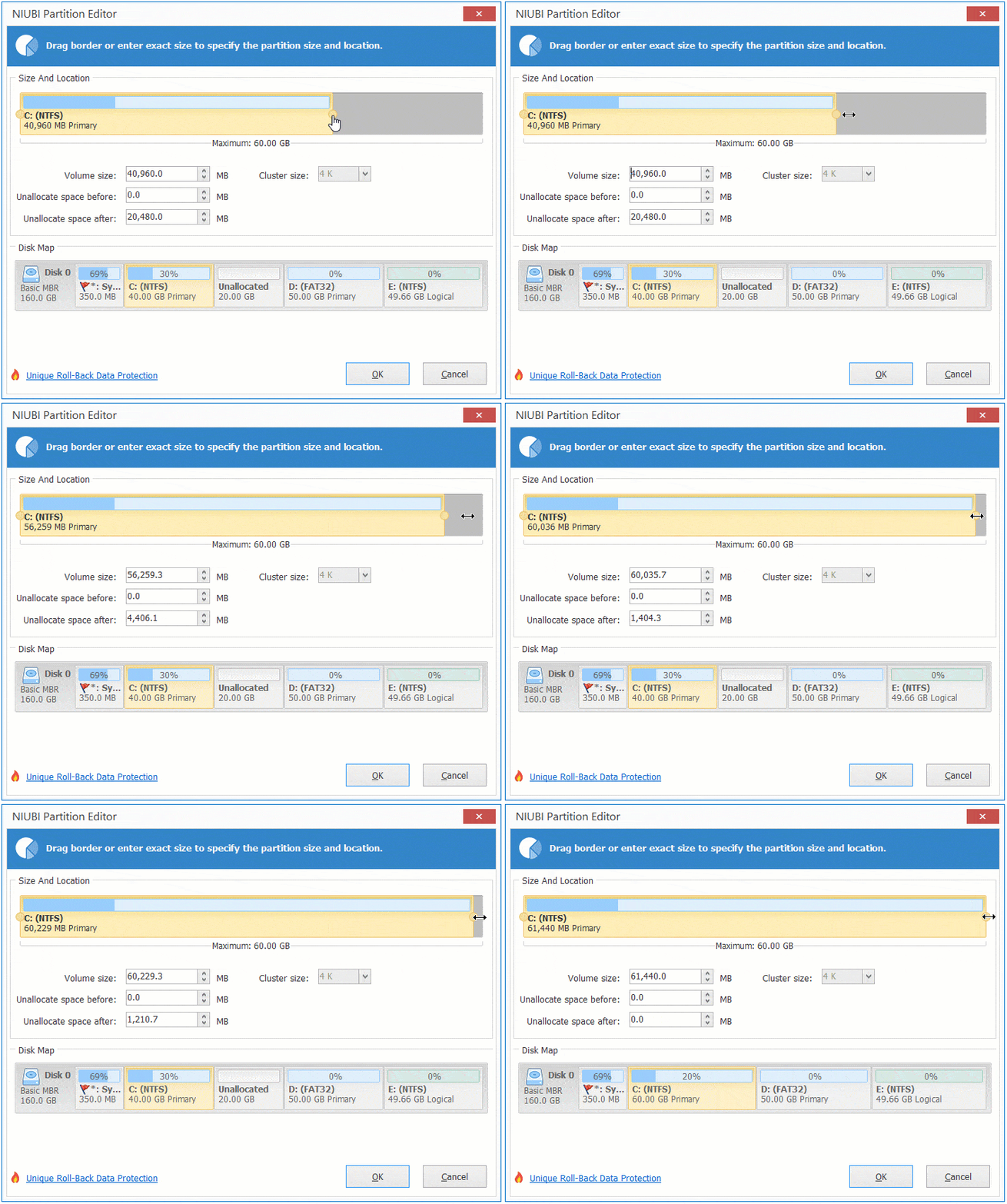
Then, the unallocated space is merged into the C drive.
Watch the video to see how to merge unallocated space on Windows Server 2012 R2:
Combine Unallocated Space into Another Disk?
In some servers, all partitions on the disk are almost full. Some users wonder whether it is possible to merge unallocated space into a partition on a different disk. The answer is no, regardless of the disk partition software used. This is because the size of a physical disk is fixed; a 500GB disk cannot be decreased to 300GB or increased to 700GB. In this situation, you may move a partition from the full disk to another one, delete the original partition, and then add the resulting unallocated space to another partition.
Another method is copying the entire disk to a larger one. The extra disk space will be shown as unallocated at the end of the new disk, which can then be merged into other partitions. Follow the steps in the video:
Besides moving and merging unallocated space in Windows Server 2012/2016/2019/2022/2025, NIUBI Partition Editor helps you copy, merge, convert, defrag, scan, hide, and wipe partitions, and much more.
 © 2009 - NIUBI Technology All Rights Reserved. |